Course RAG Assistant
A source-grounded course workspace for the moments when the answer is somewhere in your syllabus, rubric, notes, or assignment—but you should not have to search for it all over again.
The moment it clicked
When I was a student, the hard part was not always understanding the work. It was remembering where the information lived: a deadline in the syllabus, requirements in a rubric, and the details of an assignment in a separate document.
A student should be able to upload the material they already have, ask the question that is actually on their mind, and leave with a clear next step—not another generic chat response.
Overview
The Problem
Students rarely have one clean source of truth. A deadline may be in a syllabus, requirements in a rubric, and the context they need in lecture notes. A generic chatbot can sound confident while inventing details or losing track of which document supports an answer.
The Product Decision
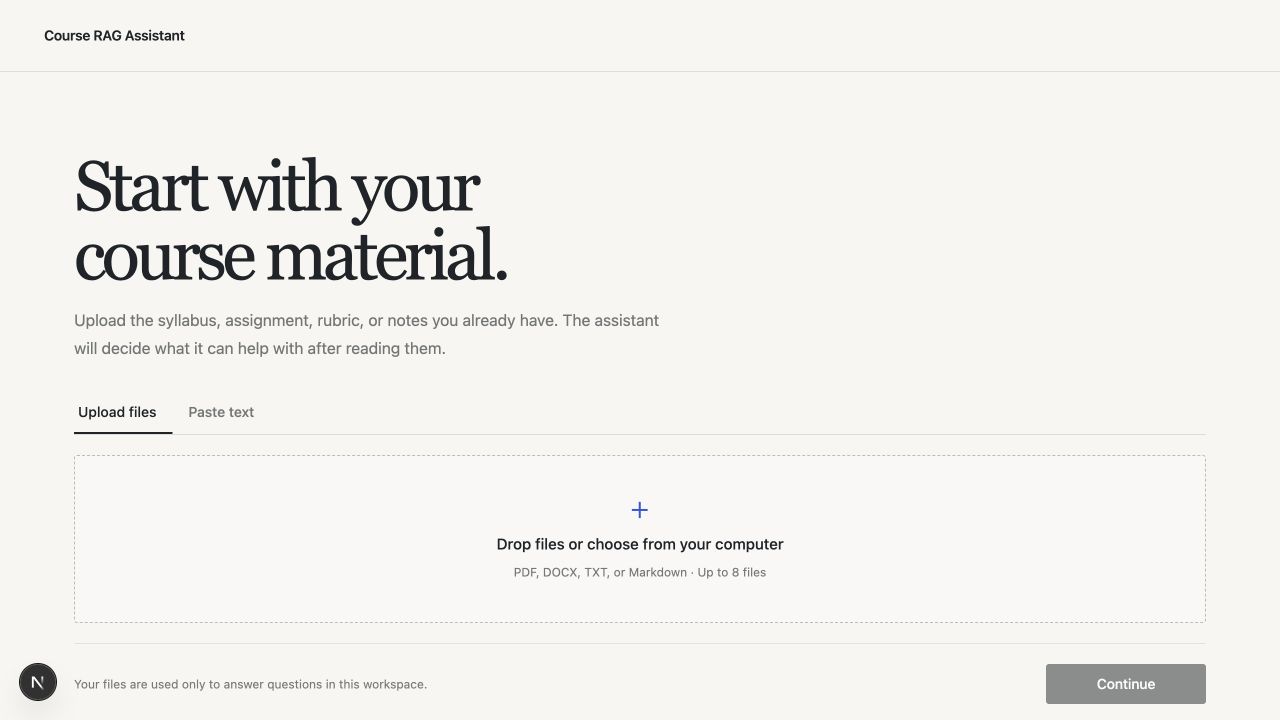
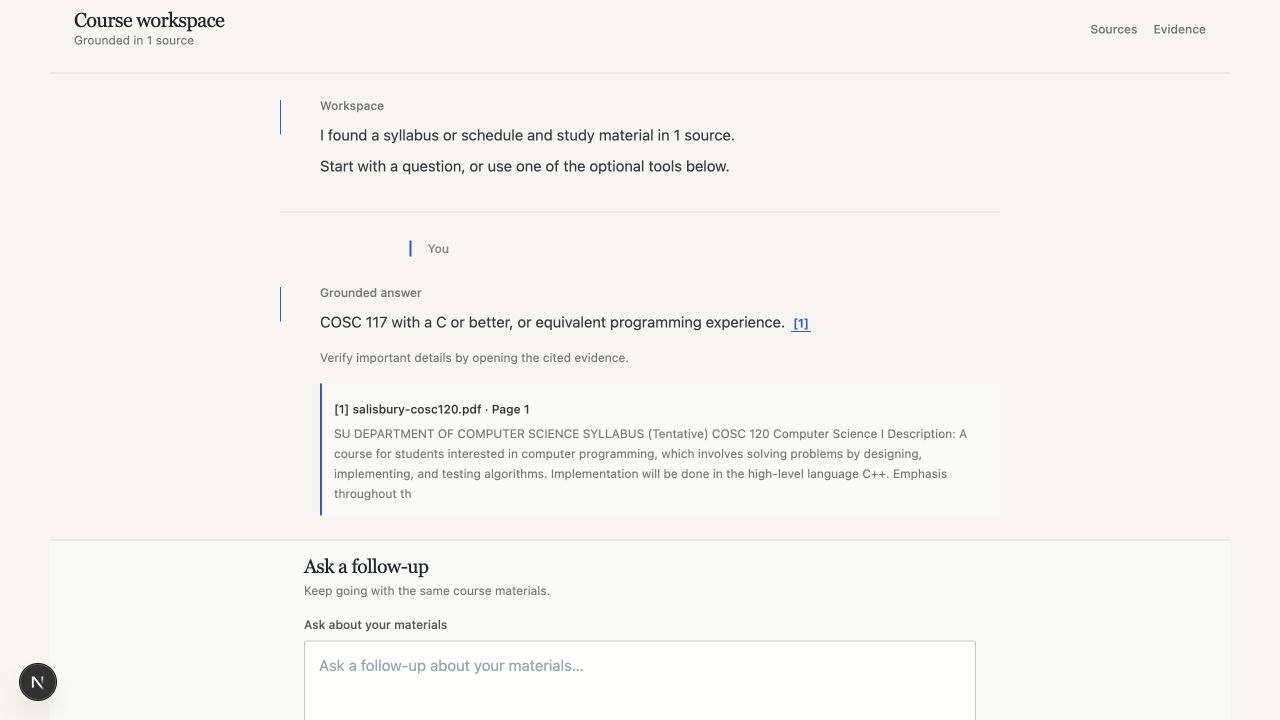
The experience starts with the student's material, not an empty chat box. After the documents are read, the interface adapts: students can ask directly, build an assignment checklist, or create a study review. Every answer links back to retrieved source text.
From scattered material to a next step
Under the hood, the material is parsed, retrieved, and matched to the question. The student experience stays focused on what to do next.
How it works under the hood
The interface stays simple for the student, but the answer still has a deliberate path behind it. I built the system so the source, retrieval step, and evidence remain inspectable.
Ingest the material
Parse PDF, DOCX, TXT, Markdown, or pasted text, then report unreadable files instead of silently indexing an empty document.
Preserve where it came from
Split documents into boundary-aware chunks while keeping source name, page metadata, character range, and chunk order attached.
Retrieve before answering
Embed the question, search the course-specific Pinecone namespace, and pass the most relevant chunks into answer generation.
Cite or say it cannot verify
Return inline citations and an evidence drawer for supported claims, while surfacing missing or ambiguous information instead of guessing.
Ways a student can use it
Answer the question in front of you
“Is the quiz multiple choice?” “How long should the research paper be?” The answer stays inside the course sources.
Turn a rubric into a checklist
See what to submit, what the rubric prioritizes, and what still needs clarification before starting the assignment.
Make study material actionable
Turn the material into focused review prompts instead of another undifferentiated summary.
Show the evidence
Open the source behind the answer so you can verify the requirement before relying on it.
Material first. Then the right tool.
The sample course lets someone try the complete path in one click. Their own files use the same pipeline.
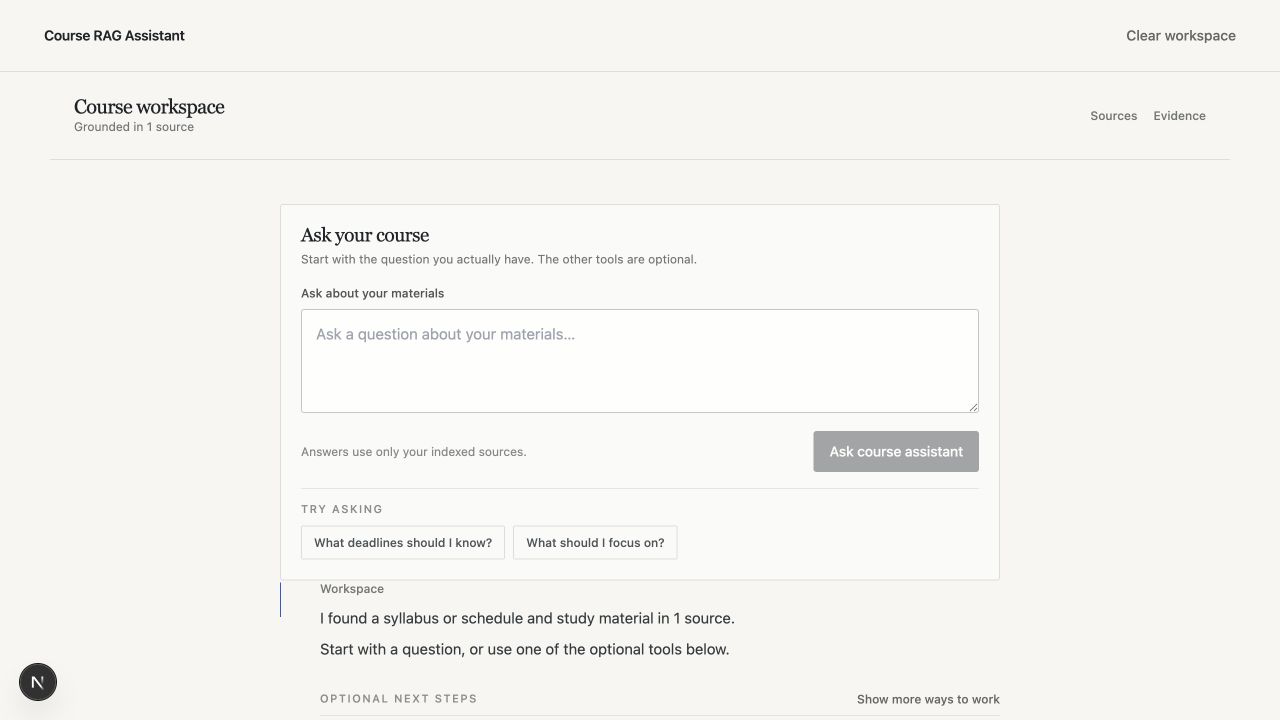
Useful after the answer
What exists today
The assistant can pull deadlines, requirements, and study material into focused tools so a student does not have to keep reopening the same documents.
Where it can go next
A future course plan could let students save selected dates and tasks, then export them to the calendar or planner they already use. The important part is making the output portable—not forcing another place to manage school.
Designing for trust
The assistant should make course material easier to use without pretending to replace it. That means starting with the student's own sources, giving them different ways to work, and making the evidence visible whenever an answer matters.
Try the live demo →